
For years, sending push notifications to iPhones meant paying $99/year for an Apple Developer account, wrestling with APNs certificates, or routing everything through Firebase. Most indie developers just gave up on iOS push entirely.
Since iOS 16.4, that’s no longer true. Safari now supports the Web Push API - the same standard that’s worked on Android and desktop browsers for years. One implementation, every platform. No Firebase. No app stores. Just web standards.
The catch? Your app needs to be a PWA. On iOS, users must “Add to Home Screen” first. But that’s a small price for free, universal push notifications.
How It Works
Three parties are involved: your server, the browser’s push service, and the user’s browser.
- User subscribes - browser generates a unique endpoint URL and encryption keys
- You store the subscription on your server
- When something happens, your server encrypts the message and POSTs it to the endpoint
- Browser’s push service delivers it, your service worker displays it
The best part? You never touch Firebase or any third-party service. Each browser vendor runs their own push service - Google, Apple, and Mozilla all maintain their own infrastructure. When a user subscribes, the browser gives you an endpoint URL like:
- Chrome:
https://fcm.googleapis.com/fcm/send/... - Safari:
https://web.push.apple.com/... - Firefox:
https://updates.push.services.mozilla.com/...
You just POST to whatever URL you get. The Web Push protocol is standardized - your code doesn’t care which browser it’s talking to.
Security
VAPID proves your server’s identity. You generate an ECDSA P-256 key pair once, sign each request with a JWT, and push services verify the signature before accepting the message.
Encryption ensures privacy. Your server derives a shared secret with the browser’s public key (ECDH), then encrypts the payload (AES-128-GCM). Push services can’t read your messages - only the subscriber’s browser can decrypt them.
PWA Setup
Now for the implementation. Your app needs a web manifest for installability:
{
  "name": "My App",
  "short_name": "App",
  "start_url": "/",
  "display": "standalone",
  "icons": [
    { "src": "/icon-192.png", "sizes": "192x192", "type": "image/png" },
    { "src": "/icon-512.png", "sizes": "512x512", "type": "image/png" }
  ]
}
The service worker handles incoming notifications. It listens for push events and displays them, even when the app is closed:
self.addEventListener('push', (event) => {
  const data = event.data?.json() ?? { title: 'Notification' };
  event.waitUntil(
    self.registration.showNotification(data.title, {
      body: data.body,
      icon: '/icon-192.png'
    })
  );
});

self.addEventListener('notificationclick', (event) => {
  event.notification.close();
  event.waitUntil(clients.openWindow('/'));
});
Subscribing Users
When a user enables notifications, you request permission, subscribe to the PushManager with your VAPID public key, then send the subscription to your server:
async function subscribeToPush(vapidPublicKey: string) {
  const permission = await Notification.requestPermission();
  if (permission !== 'granted') return null;

  const registration = await navigator.serviceWorker.ready;
  const subscription = await registration.pushManager.subscribe({
    userVisibleOnly: true,
    applicationServerKey: vapidPublicKey
  });

  // Send endpoint and keys to your server
  await fetch('/api/push/subscribe', {
    method: 'POST',
    headers: { 'Content-Type': 'application/json' },
    body: JSON.stringify(subscription.toJSON())
  });

  return subscription;
}
The subscription contains an endpoint (the URL you’ll POST to) and keys (p256dh and auth for encryption).
Sending Notifications
Your server encrypts the payload using the subscriber’s keys, signs the request with your VAPID private key, and POSTs to the endpoint:
const response = await fetch(subscription.endpoint, {
  method: 'POST',
  headers: {
    'Content-Type': 'application/octet-stream',
    'Content-Encoding': 'aes128gcm',
    'Authorization': `vapid t=${jwt}, k=${vapidPublicKey}`,
    'TTL': '86400'
  },
  body: encryptedPayload
});

// 410/404 means subscription expired - clean it up
if (response.status === 410 || response.status === 404) {
  await removeSubscription(subscription.endpoint);
}
The encryption (ECDH + HKDF + AES-GCM) and VAPID JWT signing are complex - this is the one place where the Web Push API earns its reputation. Use a library like web-push for Node.js, or if you’re feeling adventurous, implement it yourself using the Web Crypto API.
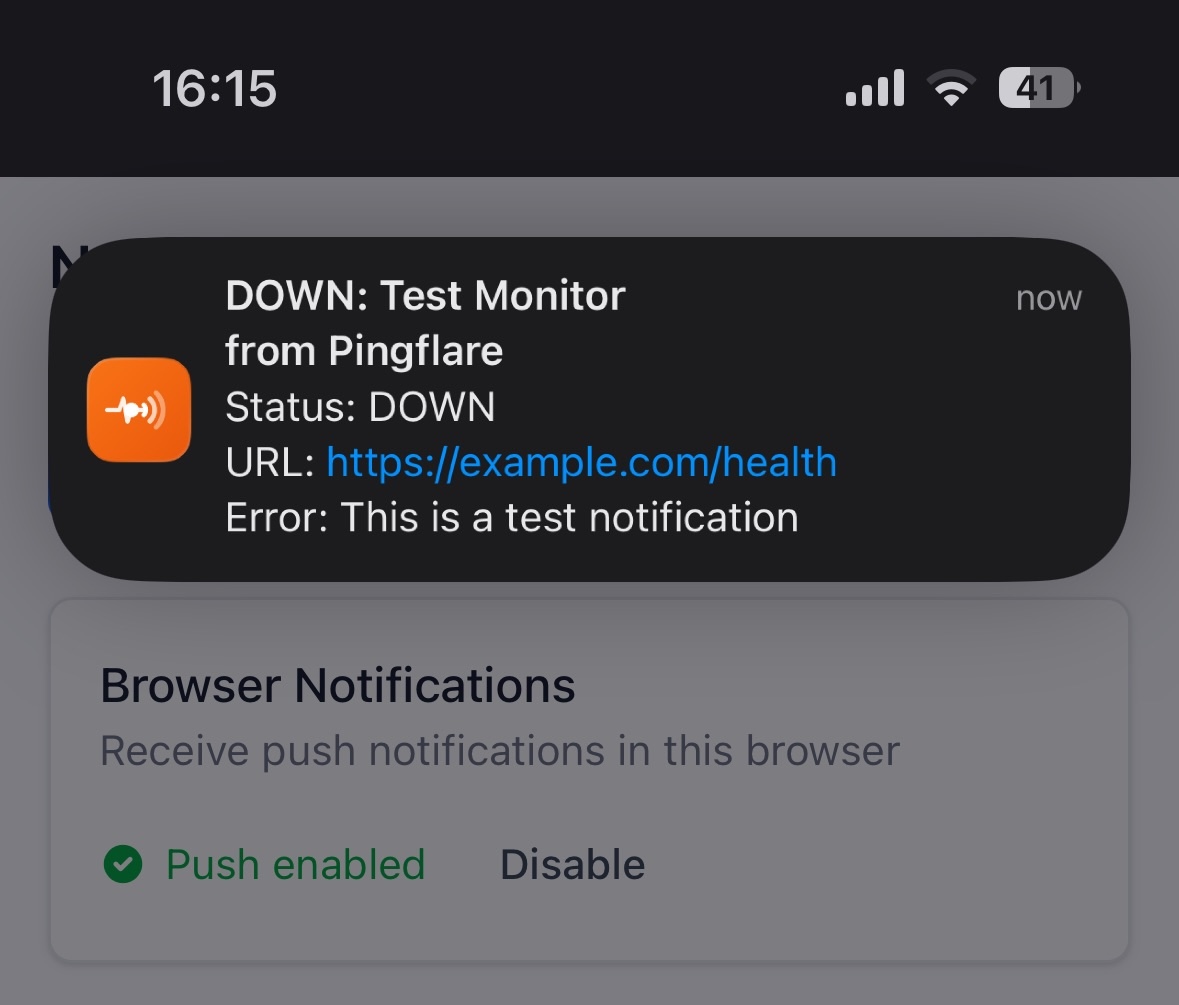
Platform Support
iOS Safari (16.4+): Works, but with restrictions:
- Must be installed via “Add to Home Screen”
- Permission requested from within the PWA, not Safari
- Only works when launched from home screen
Android: Works in Chrome, Firefox, Edge - no installation required.
Desktop: Chrome, Firefox, Edge, Safari - just works.
Conclusion
The Web Push API gives you something that wasn’t possible before iOS 16.4: free, private, universal push notifications without platform fees or third-party dependencies. Your messages are end-to-end encrypted, so push services can’t read them. And you write the code once for iOS, Android, and desktop.
The main limitation is the PWA requirement on iOS - users need to “Add to Home Screen” before they can receive notifications. For many apps, that’s an acceptable trade-off.
I built Pingflare using this exact approach. It’s an uptime monitoring service that sends push notifications when your sites go down - check out the repo if you want to see a complete implementation with the encryption and VAPID signing handled properly.